> ## Documentation Index
> Fetch the complete documentation index at: https://docs.daydreamvideo.com/llms.txt
> Use this file to discover all available pages before exploring further.
# How to create custom captions for your videos using AI
> Generate captions from your transcript in Daydream and customize the font, color, animation, and more using Claude Code or Codex.
Daydream generates captions from your transcript, then lets you customize them however you want. Using Claude Code or Codex, you can change how your captions look and animate to fit your style.
## Generate captions
Captions are generated from your transcript, so transcribe a video or voiceover first. Then click the **Captions** button to show captions on your video. Click it again to hide them.
 By default, captions highlight each word as it's spoken.
### Regenerate after editing your transcript
If you change the transcript after generating captions, click the **Regenerate Captions** button to bring the captions up to date. Your custom styling is preserved.
## Customize captions with Claude Code or Codex
Ask Claude Code or Codex to change the look, animation, or position of your captions. Because the agent can style them freely, you can create fully customized captions. For example:
* "Make these single-word captions."
* "Style the captions like movie subtitles."
* "Move the captions to the top of the frame."
* "Add my image of Mario so that it jumps on the active word."
By default, captions highlight each word as it's spoken.
### Regenerate after editing your transcript
If you change the transcript after generating captions, click the **Regenerate Captions** button to bring the captions up to date. Your custom styling is preserved.
## Customize captions with Claude Code or Codex
Ask Claude Code or Codex to change the look, animation, or position of your captions. Because the agent can style them freely, you can create fully customized captions. For example:
* "Make these single-word captions."
* "Style the captions like movie subtitles."
* "Move the captions to the top of the frame."
* "Add my image of Mario so that it jumps on the active word."
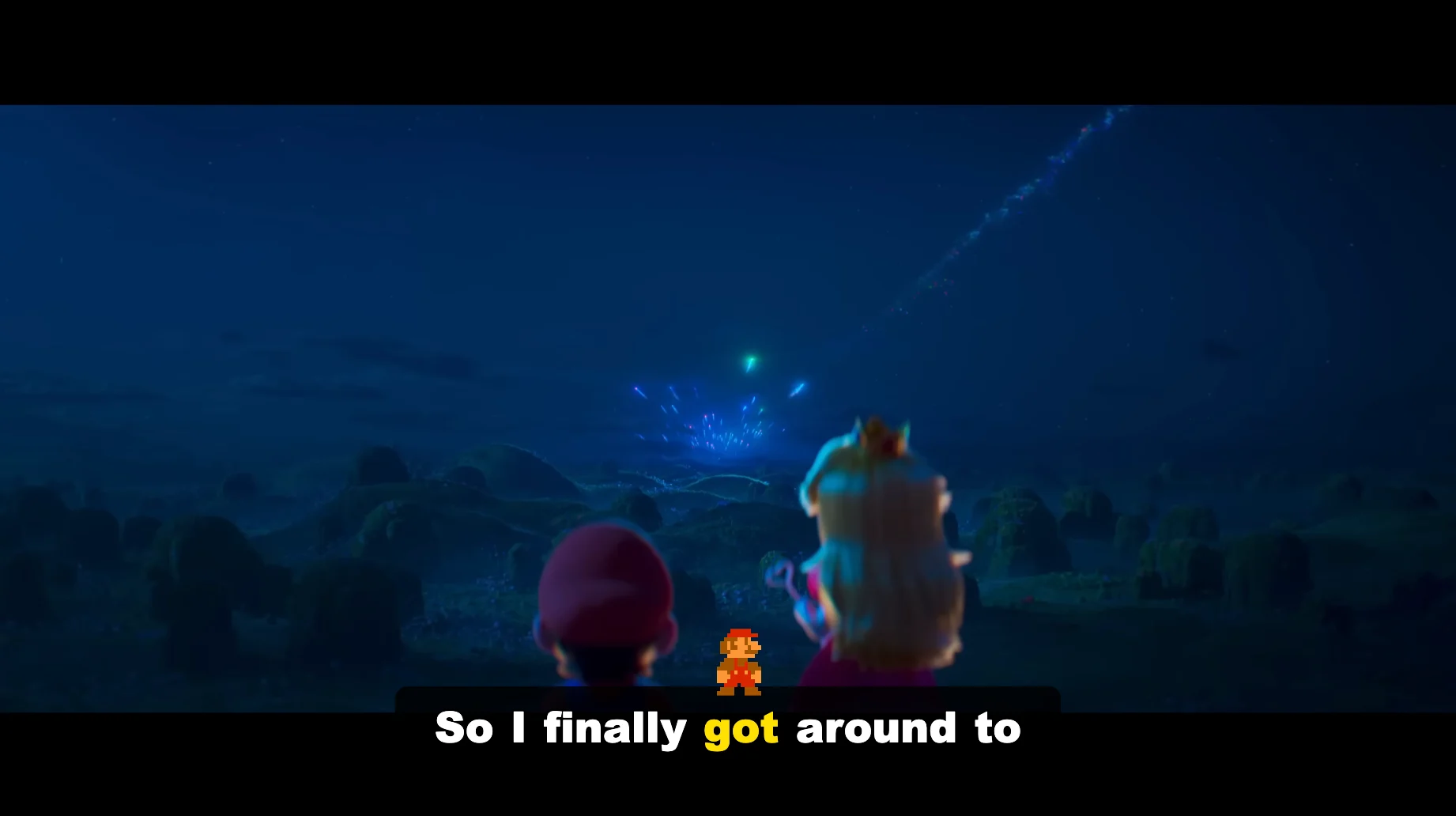 To use your own image like the Mario sprite above, import it first under **Footage / Images / Music**.
## Edit captions yourself
You can also style captions by hand. Click any caption clip and open the **Properties** tab to edit the text, font, color, and more.
To use your own image like the Mario sprite above, import it first under **Footage / Images / Music**.
## Edit captions yourself
You can also style captions by hand. Click any caption clip and open the **Properties** tab to edit the text, font, color, and more.