> ## Documentation Index
> Fetch the complete documentation index at: https://docs.daydreamvideo.com/llms.txt
> Use this file to discover all available pages before exploring further.
# How to create motion graphics using AI
> Create motion graphics and animations in Daydream. Build them from a template or ask Claude Code or Codex to generate them from a prompt.
Daydream builds motion graphics for you. Describe what you want and Claude Code or Codex creates it, from a quick title card to a full data-rich graphic. Start from a handcrafted template or design something bespoke. Graphics can include your own images and video, fill the full frame or overlay your footage, and are fully customizable.
## Create a graphic with Claude Code or Codex
Ask Claude Code or Codex to create a graphic by describing what you want. The agent designs it and places it on your timeline. For example:
* "Create a title card that says 'Chapter One'."
* "Make a lower-third with my name and role."
* "Create an overlay of these two images sliding in from the bottom of the frame."
* "Fade in this logo in the bottom-left corner."
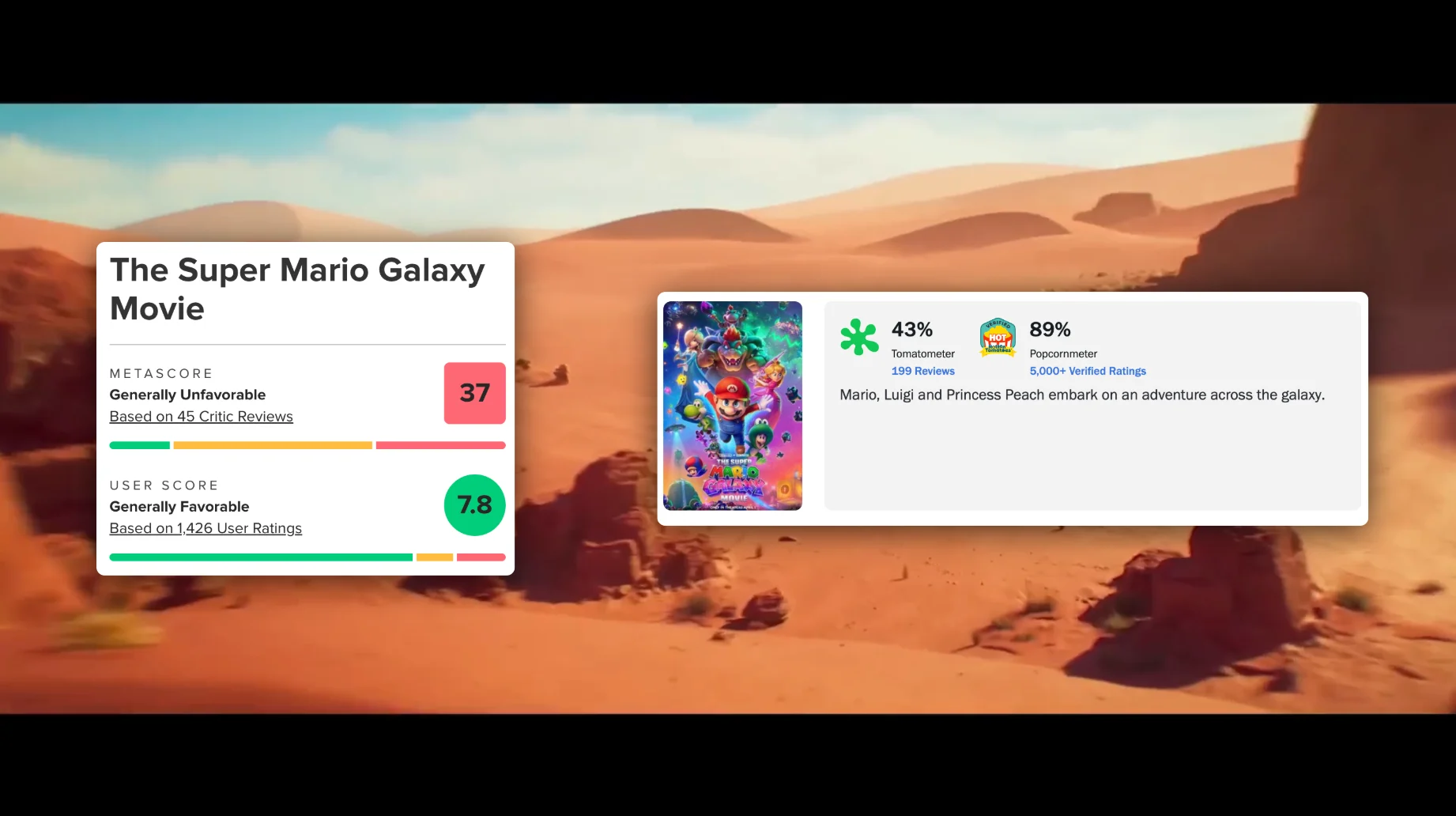 Graphics can include your own images and video. Import them first under **Footage / Images / Music**, then ask the agent to use them.
If you're making several graphics, work on one at a time. Iterating on a single graphic gives the best results.
## Start from a template
Open the **Templates** tab to browse Daydream's handcrafted templates. Add one to your timeline, then customize it by asking the agent or editing it yourself.
## Edit a graphic yourself
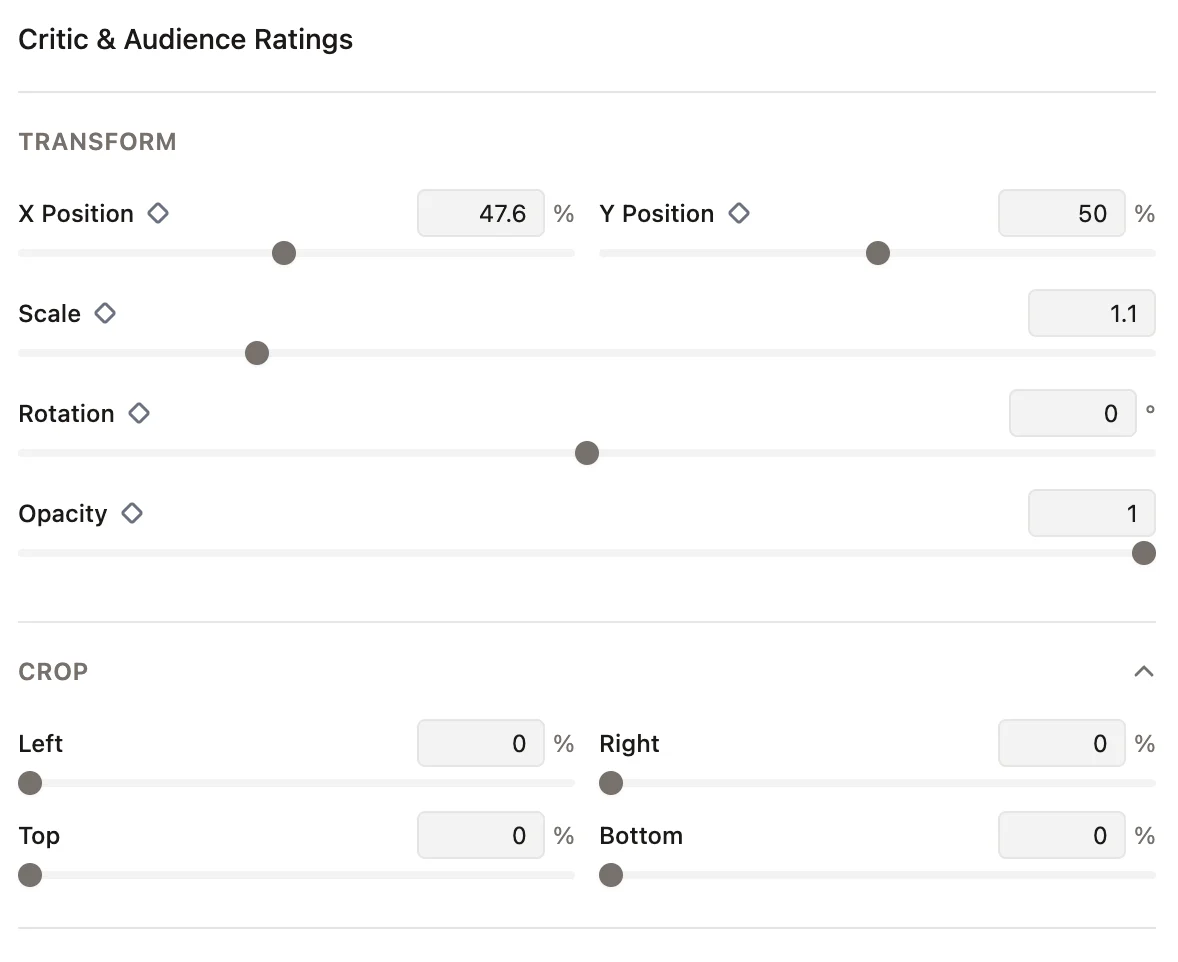
Select a graphic in the timeline and open the **Properties** tab. You can edit the basics like text, font, and colors, and adjust its position, scale, rotation, opacity, and crop.
Graphics can include your own images and video. Import them first under **Footage / Images / Music**, then ask the agent to use them.
If you're making several graphics, work on one at a time. Iterating on a single graphic gives the best results.
## Start from a template
Open the **Templates** tab to browse Daydream's handcrafted templates. Add one to your timeline, then customize it by asking the agent or editing it yourself.
## Edit a graphic yourself
Select a graphic in the timeline and open the **Properties** tab. You can edit the basics like text, font, and colors, and adjust its position, scale, rotation, opacity, and crop.