1
Connect an AI agent
Daydream is built to edit with AI, so start by connecting an agent. Follow Connect Claude Code or Codex to set it up.
2
Import your assets
In the Assets tab, click Import, then add your files based on how they’ll be used: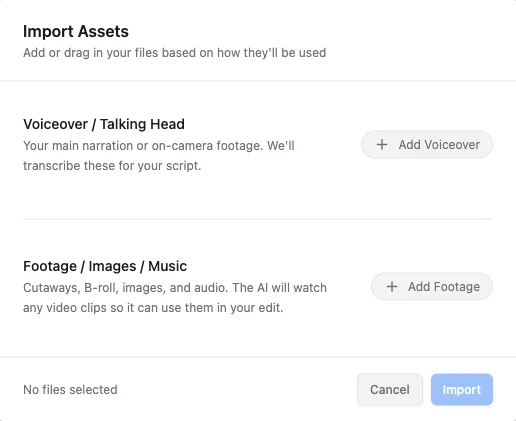
- Voiceover / Talking Head: your main narration or on-camera footage. Daydream transcribes these for your script.
- Footage / Images / Music: cutaways, b-roll, images, and audio. The AI watches your video clips so it can use them in your edit.
3
Transcribe your voiceover
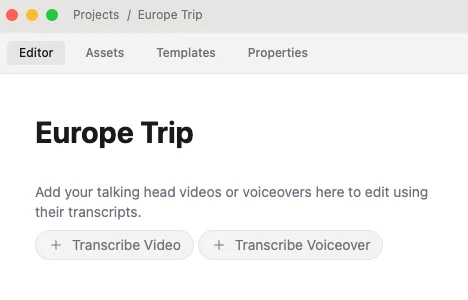
Go to the Editor tab and click Transcribe Video or Transcribe Voiceover. Daydream transcribes your voiceover and adds it to the timeline, so you can edit your video by editing its transcript.